

Week 96 - Specs, tokens and drop-downs
This week's five new Figma plugins.
Happy Friday! This week’s issue is for anyone who’s ever lost an afternoon to handoff docs, inconsistent tokens, or building dropdown menus from scratch.
There’s a plugin that generates fully formatted spec documentation right next to your components, a token migration tool that scans your entire file for outdated values, hardcoded colors, and deprecated tokens — then suggests the best replacements from your target library; and if dropdowns are your nemesis, there’s a generator that builds out complete, production-ready component sets with open/closed states and prototype wiring already done for you. Plus two more to discover for yourself!
All five are completely free — enjoy! 👇
1. Autospec
Generate your design specs automatically.
Autospec reads your Figma layers to generate formatted documentation frames right next to your components. The plugin instantly converts frames and components into structured spec layouts, automatically numbers layers, adds highlight overlays, and builds a complete legend. The generated documentation includes fill, stroke, typography, sizing, spacing, corner radius, and bound variables; all built for clarity and handoff.
🎁 FREE
📝 Generate instant documentation for your Figma components
⚙️ Includes specs for fill, stroke, typography, sizing, spacing, corner radius, and bound variables
💡 If you’re looking for a way to bring your components from Storybook to Figma, give story.to.design a try!
2. Dropdown Maker
Generate production-ready dropdown component sets.
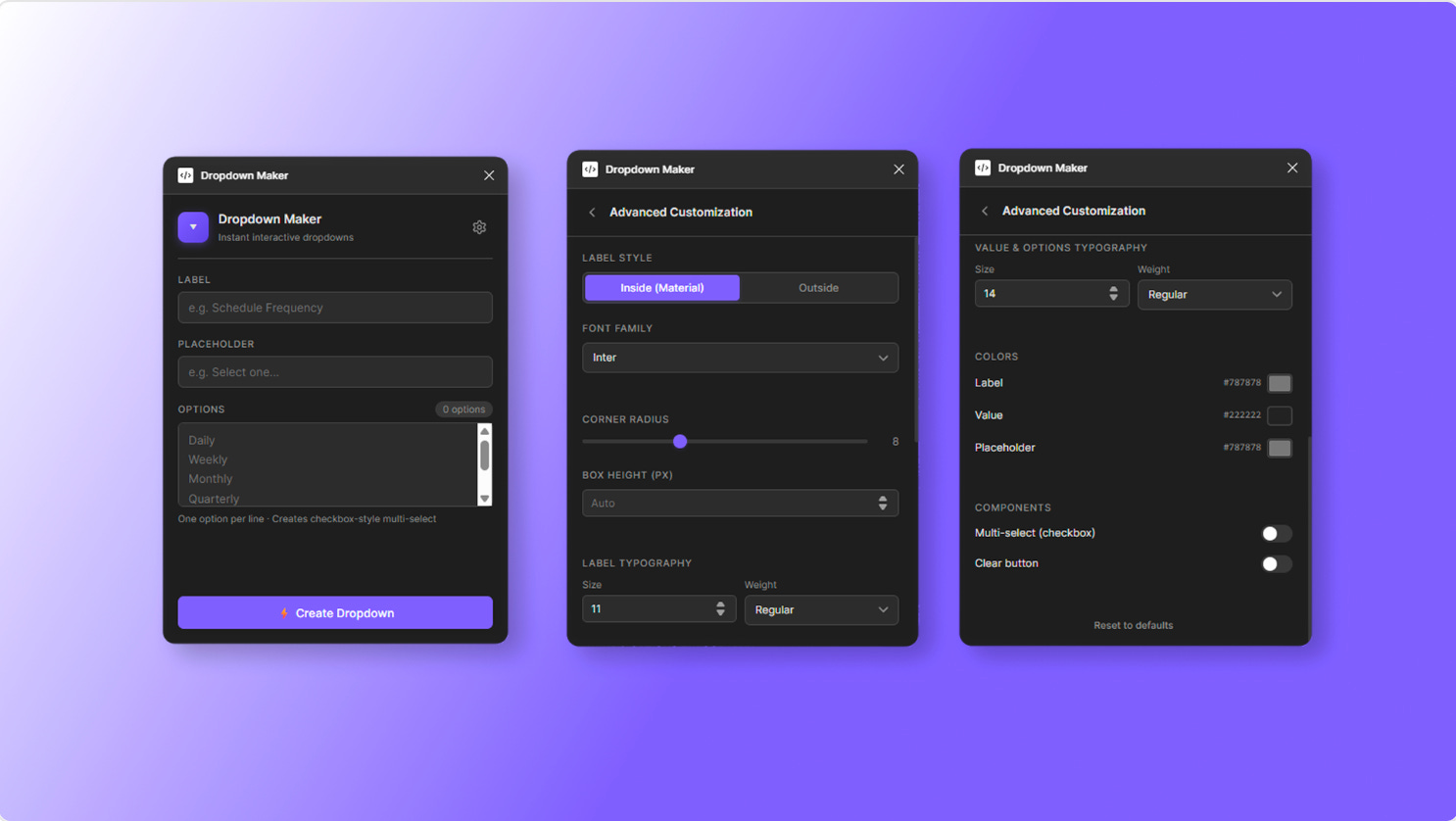
Dropdown Maker generates production-ready dropdown component sets directly on your canvas — complete with open/closed states, prototype wiring, and deep customization. You can customize label style (Inside (Material) or Outside), font family, size, and weight for labels and values; colors for labels, values, placeholders, and hover states; adjustable corner radius and box height, and more. Plus, all component sets use proper auto-layout and are ready for design system use.
🎁 FREE
⬇️ Generate dropdown menu component sets
⚙️ Fully customizable and ready for prototyping
3. Material Icons Picker
Instant access to every Google Material symbol in Figma.
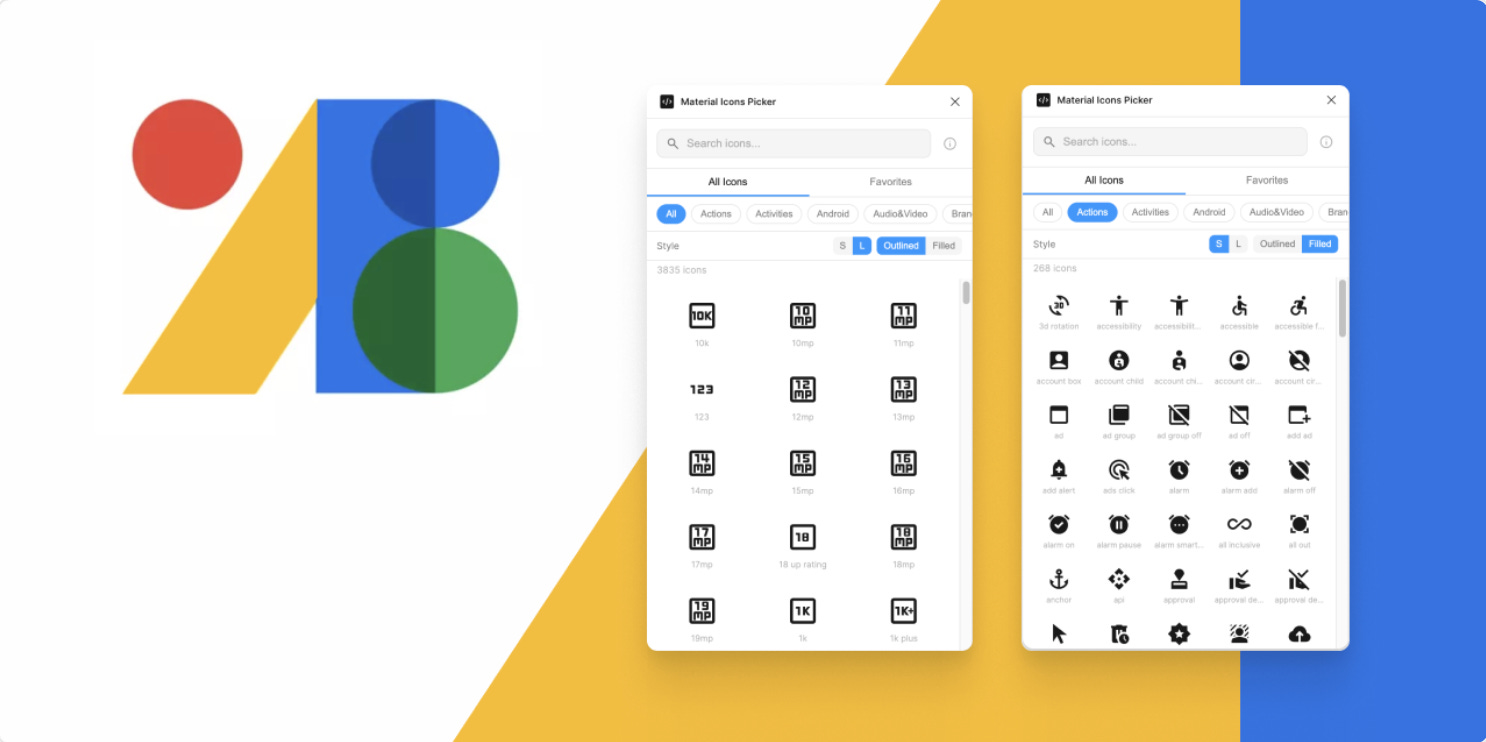
Material Icons Picker gives you instant access to every Google Material Symbol, fetched live from Google’s API so you’re always browsing the latest icons. No manual updates, no stale libraries. Search by name or keyword with smart relevance ranking that puts exact matches first, filter by category, toggle between Outlined and Filled styles, and switch between small and large icon sizes. All your preferences are saved automatically across sessions.
🎁 FREE
💟 Browse all Material icons right in Figma
🚀 One-click insert into Figma
4. Token Map
Replace outdated or inconsistent values in minutes.
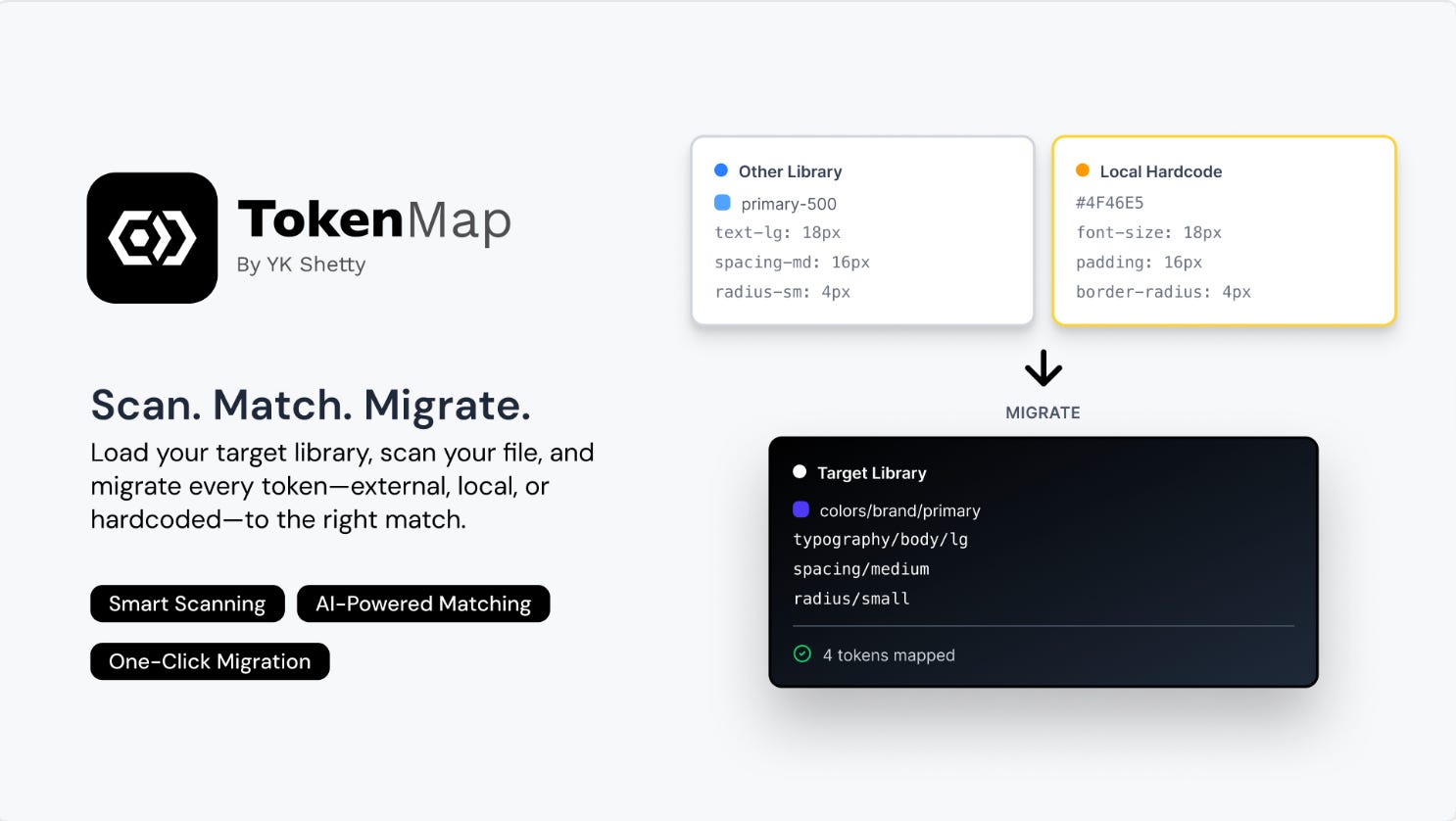
Token Map is for designers and design system teams who need to migrate, clean up, or consolidate tokens across their files — without the manual layer-by-layer grind. Simply load your target library, run a scan, and the plugin detects everything that needs updating: variables from external libraries, hardcoded values like hex colors and pixel spacing, local styles, deprecated tokens, and even overrides buried inside components and instances. A weighted scoring system then suggests the best matches from your target library, so you’re not mapping blindly.
Plus, Token Map allows you to apply changes one at a time, override suggestions as needed, and lean on Figma’s native undo and version history as your safety net — making it safe to use on large, complex files. It’s entirely local too, with zero network access, so your designs stay private throughout.
🎁 FREE
🎨 Easily migrate and match all your tokens
🔒 Fully local and private, zero network access
5. Type Animator
Create realistic typewriter animations directly in Figma.

Type Animator brings typewriter animations to life directly in your prototypes. Select a text layer, dial in your settings, and the plugin automatically builds a fully interactive prototype with smooth letter-by-letter or word-by-word animation, complete with a blinking cursor you can control before and after the effect plays.
The plugin allows you to set animations to auto-play or trigger on click, enable looping, and even chain multiple text layers to play simultaneously or in sequence. Everything stays editable after creation, so you can tweak speed, style, or trigger behavior — no need to rebuild from scratch.
🎁 FREE
⌨️ Generate prototype-ready typewriter animations
⚙️ Control playback style, speed and behavior
✏️ Newsletter brought to you by ‹div›RIOTS.