

Week 86 - Precision meets creativity
This week's five new Figma plugins.
This week’s collection brings together five plugins that tackle different aspects of the design workflow—from creating eye-catching layouts to obsessing over every last pixel (we’ve all been there).
Whether you’re building a Pinterest-inspired gallery, need some unique, animated effects; or you’re finally putting an end to those “is that 7px or 8px?” debates, this issue has the plugin for you.
Give them a try! 👇
1. Masonry | Grid Layout
Create Pinterest-like grid layouts in a click.
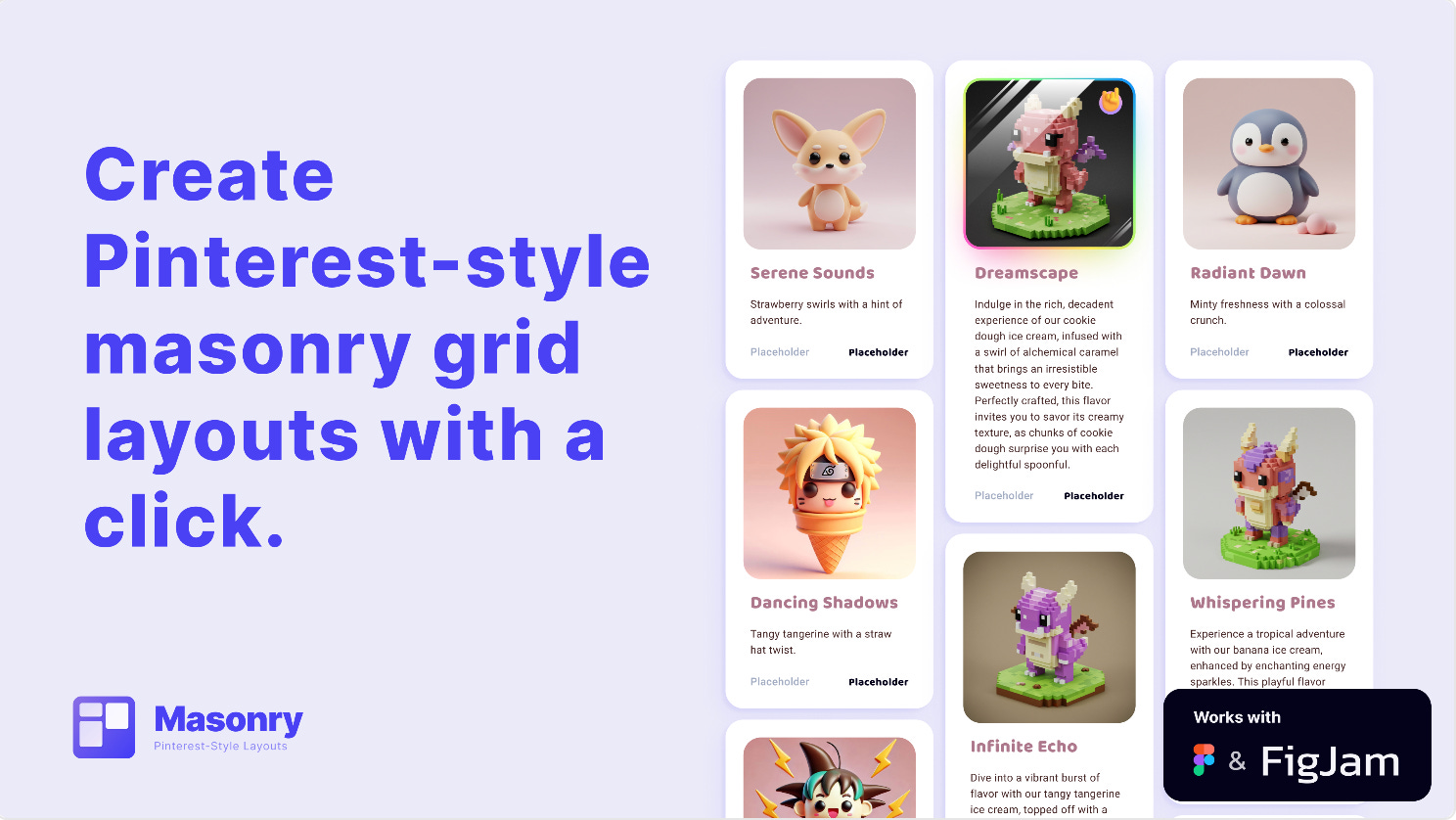
Masonry turns uneven content into beautiful, balanced grid layouts — perfect for image galleries, card layouts, feeds, and exploratory design work. Simply select your layers, run the plugin, and get a clean masonry layout with the optimal column flow calculated for you.
🎁 FREE
🏁 Create visually-balanced grid layouts in a click
🪄 Automatically arrange with consistent spacing
2. Ripple Effect
Create stunning ripple and wave effects.
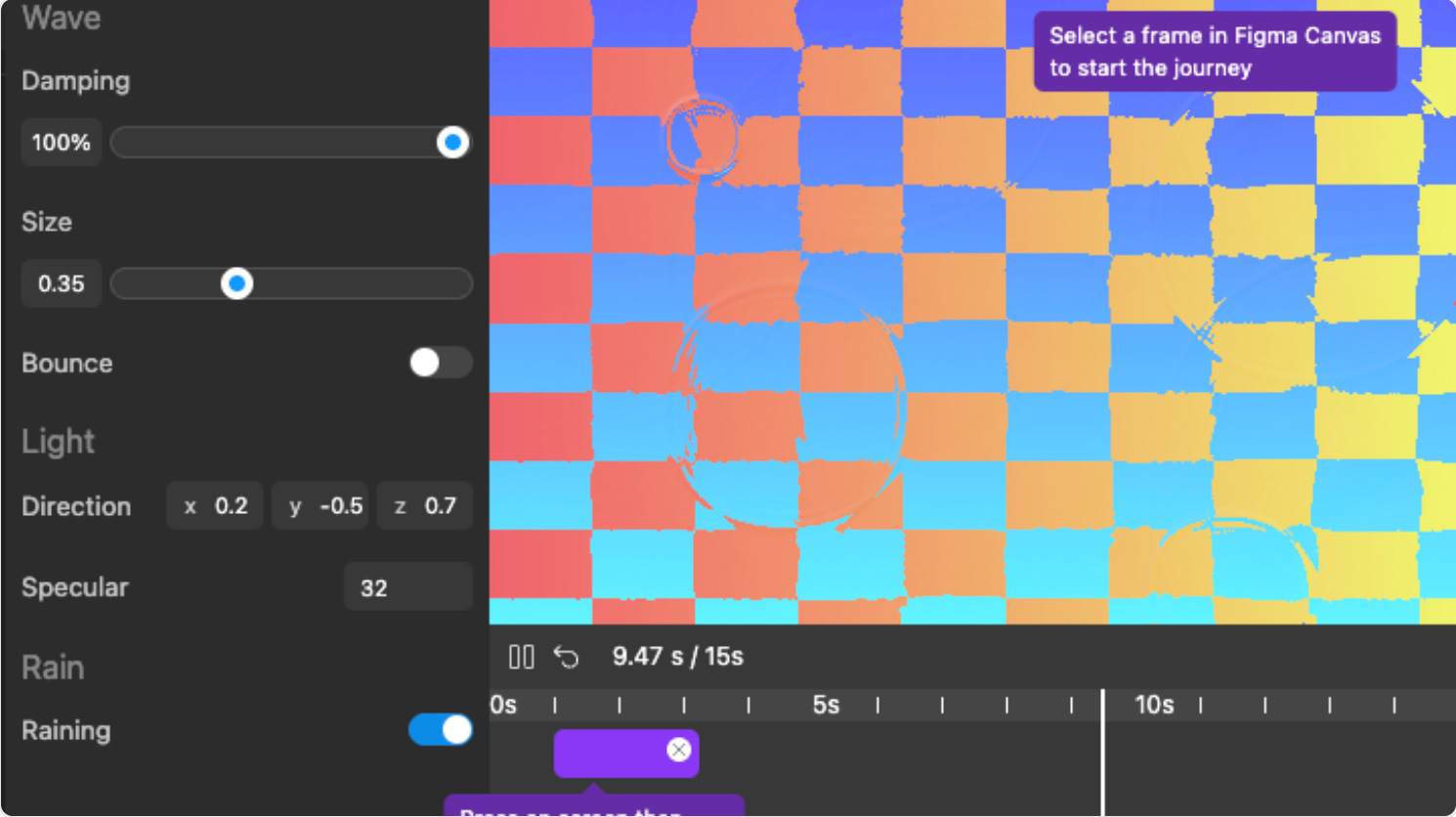
Ripple Effect is a visual editor for creating cool ripple and wave effects. Select any frame on your canvas then use the editor to generate your ideal ripple animation, controlling things like damping, size, direction and even a rain drop effect. Then export the effect as an image or video.
🎁 FREE
💧 Create cool ripple and wave effects
⚙️ Customize direction, size, and location of ripples
3. Spacing Measure
Verify your layout integrity in seconds.
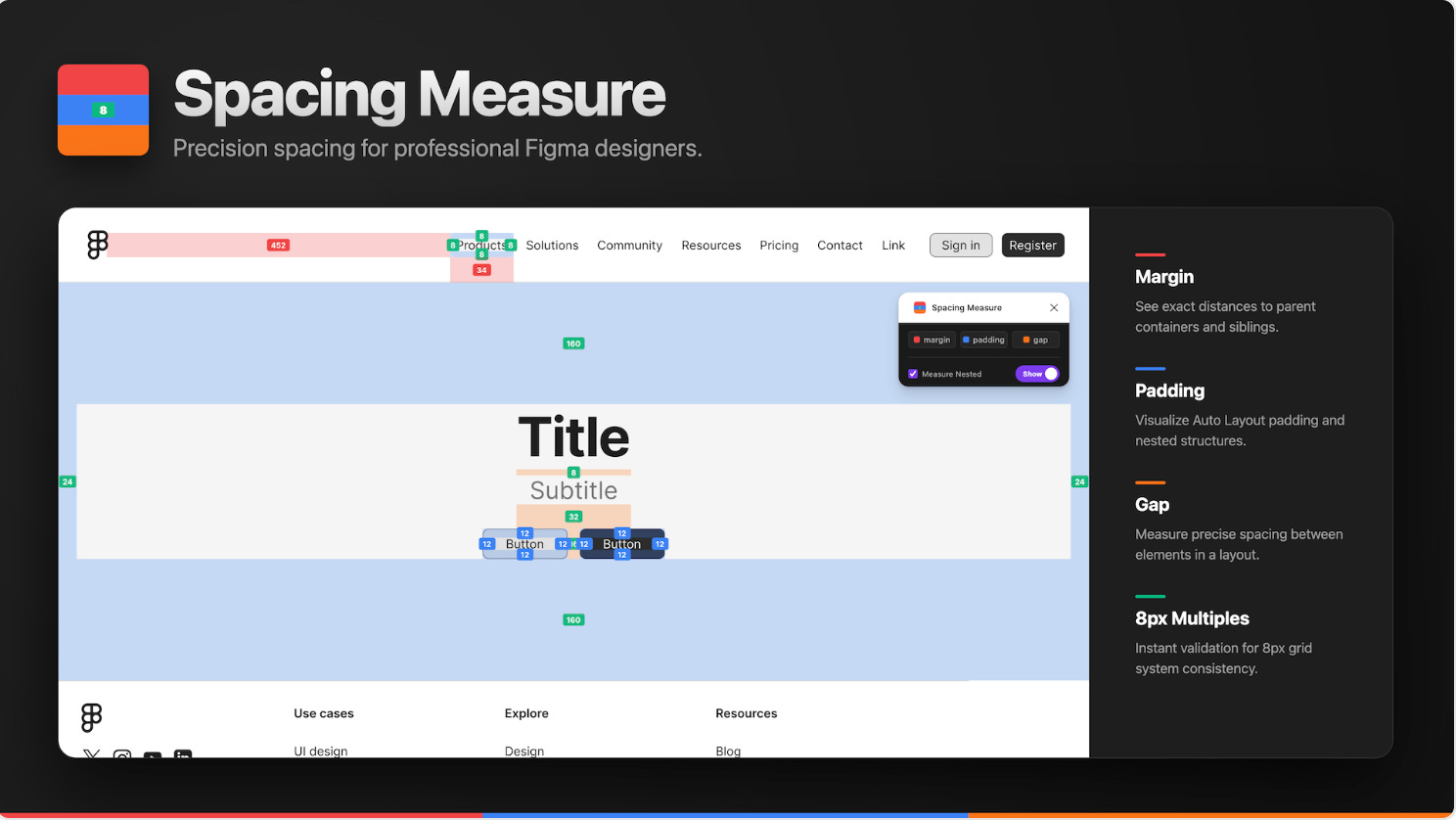
Spacing Measure is for the detail-oriented designer who can’t let go of that one pixel that’s off. This plugin allows you to instantly see margins, paddings, and gaps with color-coded overlays. All values aligned with 8px rules (and 4px exceptions) are automatically highlighted with green badges for instant consistency checks, and the Value Focus Mode highlights all identical values which is perfect for auditing specific spacing rules. An all-in-one solution for verifying every measurement in your layouts.
🎁 FREE
👀 All-in-one glance at margins, paddings, and gaps with color-coded overlays
📏 8px grid and 4px highlight
4. TMarker
Annotate, highlight and draw freely on an infinite whiteboard overlay.
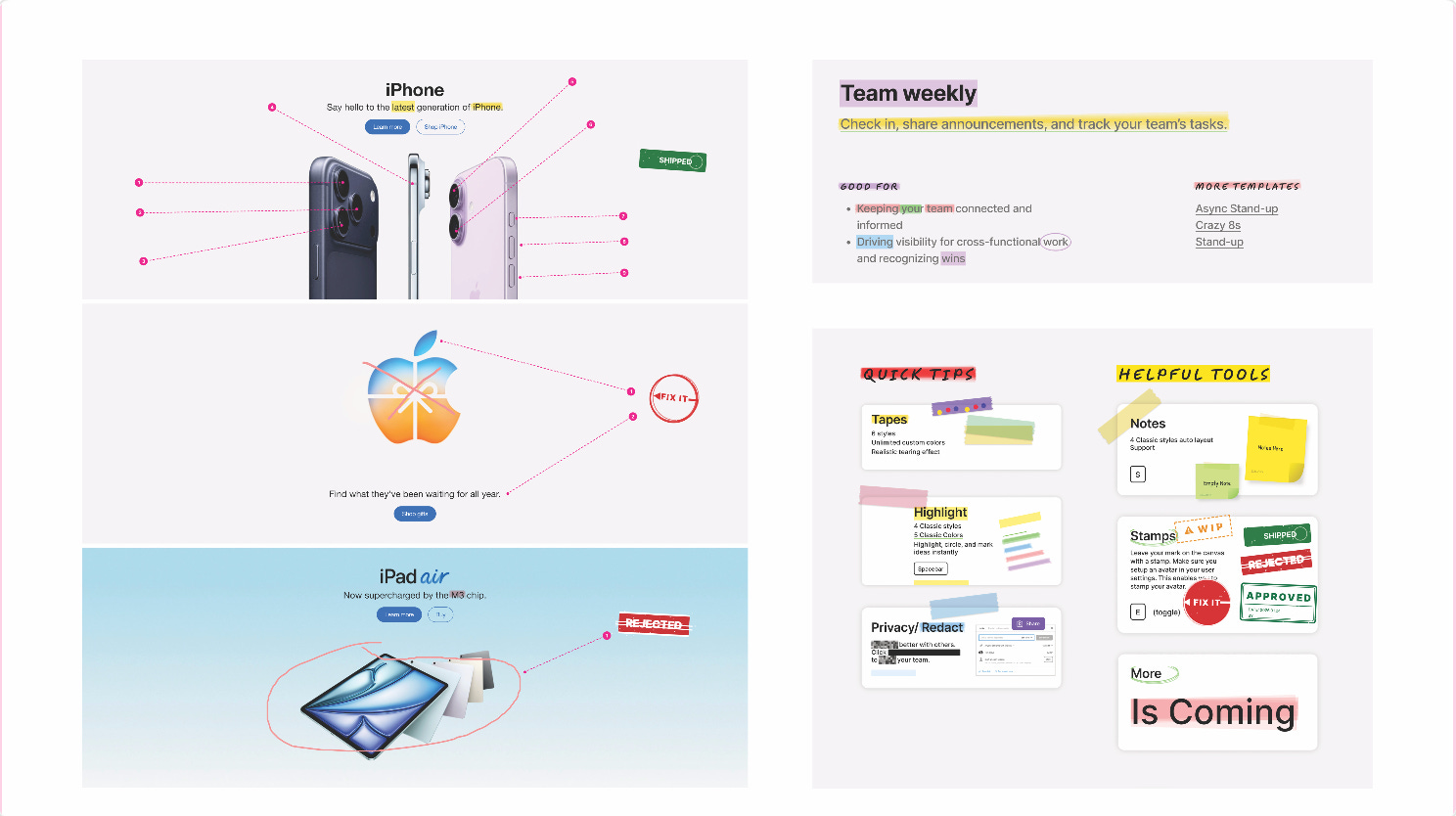
TMarker brings the freedom of FigJam right to your design files. Annotate, highlight, draw, and mark text freely on an infinite whiteboard overlay. Perfect for design critiques, developer specs, user flow diagrams, and client presentations. Highlight text, mark designs with 60fps hand-drawn smoothness, annotate with sticky notes, redact sensitive data with one-click privacy blur, and so much more… All without adding a single extra layer!
🎁 3-day FREE trial 💰 PRO for life $39.90
✏️ The hand-drawn freedom of FigJam right in your design files
⚙️ Zero extra layers for notes and annotations
5. Typography Style Generator
Generate typography scales based on the most widely used frameworks
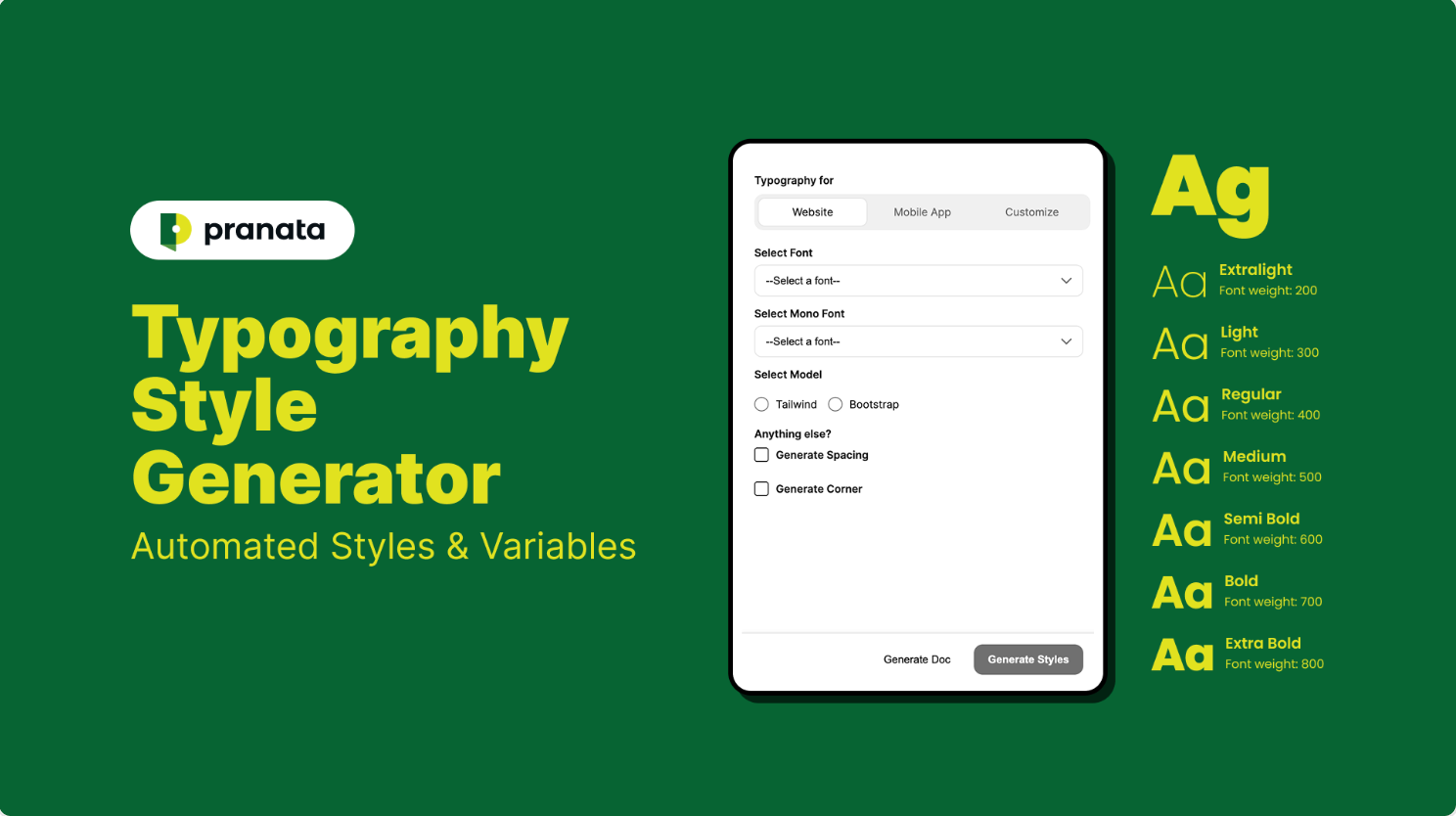
Typography Style Generator eliminates the manual work of creating dozens of text styles and variables, and ensures your design tokens are perfectly aligned with developer frameworks from the beginning. This plugin generate typography scales based on the most widely used frameworks: Tailwind CSS and Bootstrap documentation for web; and native-ready styles for iOS (Human Interface Guidelines) and Android (Material Design) for mobile. Plus, it converts your scales into Figma Text Styles and Variables in a click.
🎁 FREE
📚 Generate production-ready text styles and variables
📐 Also generates spacing (auto layout tokens) and corner radius
✏️ Newsletter brought to you by ‹div›RIOTS.