

Week 84 - Arcs, artboard stats and distortion
This week's five new Figma plugins.
Happy Friday, plugin hunters 👋 This week’s five new plugins are fun and different, and a perfect way to end the week! We’ve got everything from text that bends to your will, a file cleanup guru that knows exactly what’s hiding in your layers, and a little perspective for your flat designs.
Whether you’re wrangling complex files or adding that finishing touch to your illustrations—we’ve got you covered. Let’s dive in! 🎨✨
1. Arktist
Perfectly curved text in Figma.
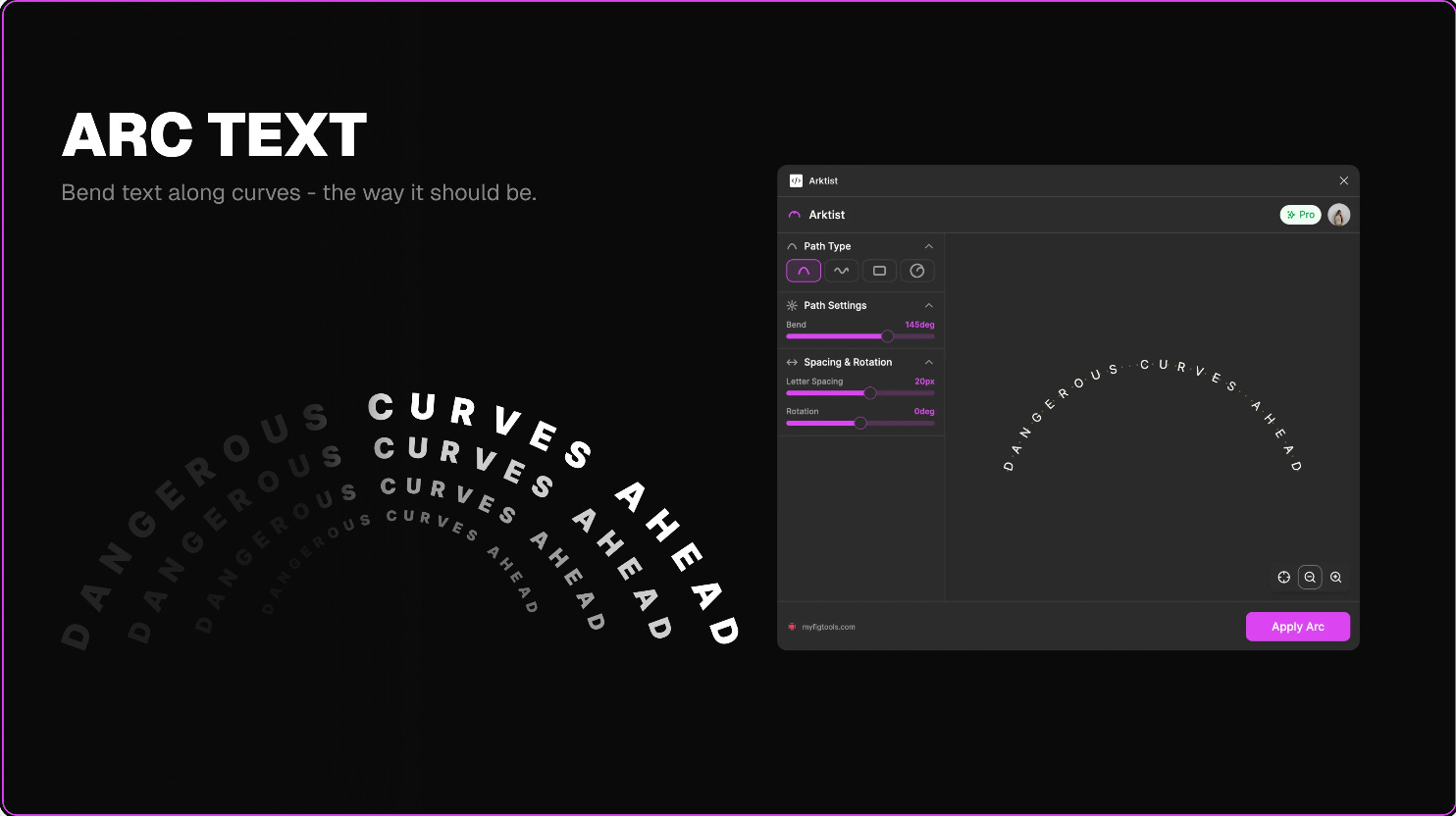
Arktist bends any text layer into clean arcs, circles, and waves. You control the path type, the amount of “bend”, letter spacing and rotation, with live preview in the plugin before placing your perfectly curved text onto the canvas. Requires an account (even for the free trial), but comes with 10 free credits every month.
🎁 10 FREE credits/month 💰 PRO plan from $15/month
🌈 Curve text into arcs, waves, circles and boxes
⚙️ Customize bend, letter spacing, rotation and more
2. Artboard Insights
Analyze layers, count artboards, clean up files.
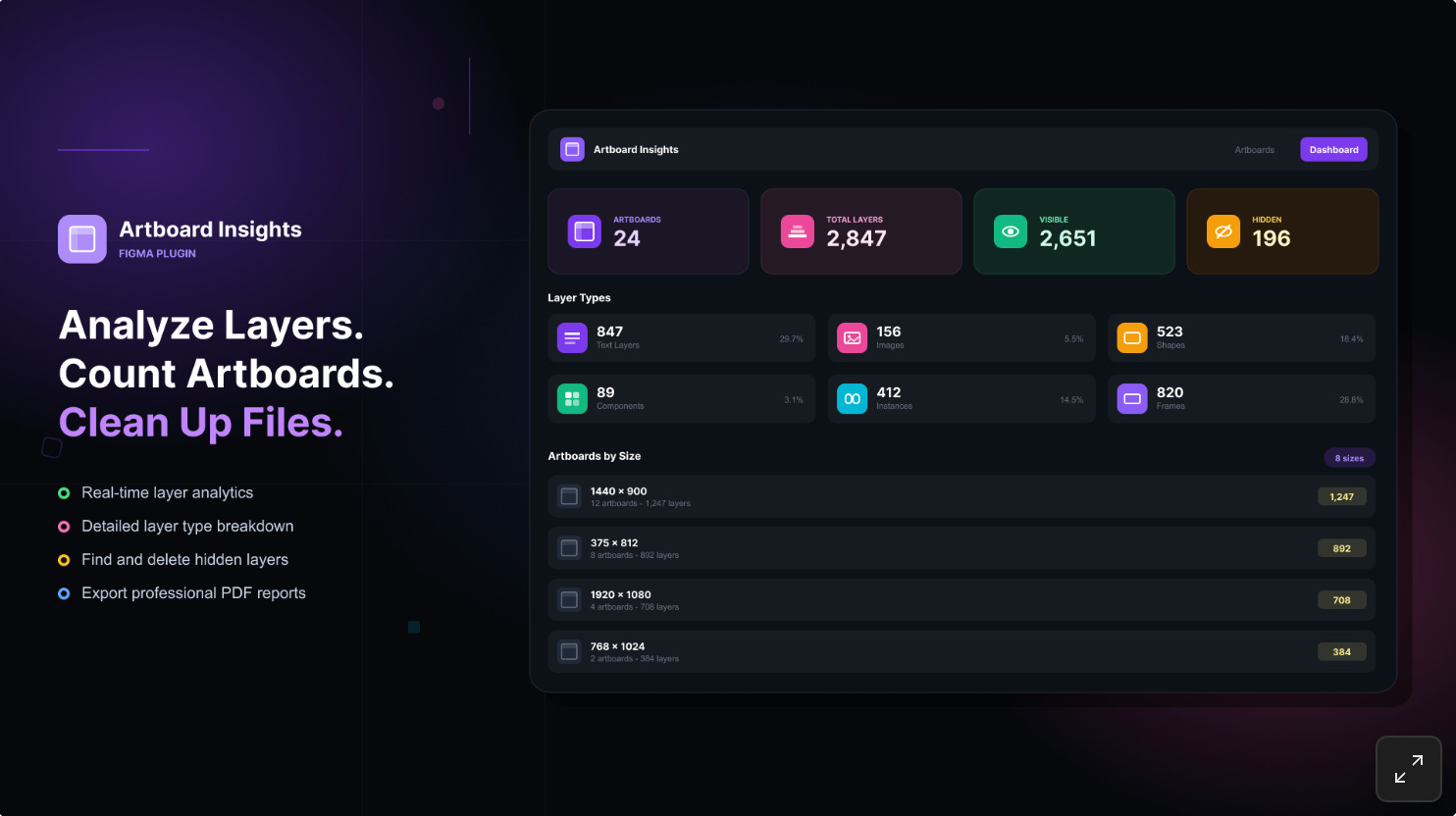
Artboard Insights tells you all you need to know about your Figma files - total artboards and layer counts, visible vs hidden layer breakdown, live progress tracking for large files, layer type breakdown and more. You can also organize and navigate your larger artboards more efficiently, as well as clean up those annoying hidden layers. If you’re really organized, the plugin can also export a PDF report with all the major statistics about your Figma file.
🎁 FREE
📈 Get all artboard statistics - layer counts, hidden layers, layer types…
📥 Export PDF reports
3. Perspective Distort
Transform flat vector designs into dynamic 3D perspectives.
Perspective Distort allows you to turn your flat vectors into dynamic designs with 3D perspectives. You have full control over rotation and depth with adjustable field of view (0°-180°) and a real-time preview before applying anything. The plugin doesn’t alter your original vectors and instead creates transformed copies, and works for any vectors, rectangles, ellipses, frames, and groups.
🎁 FREE
🪄 Add 3D perspective to flat vectors
⚙️ Full control over rotation and depth
4. PNG Outline Stroke
Add an outline to any transparent PNG image.
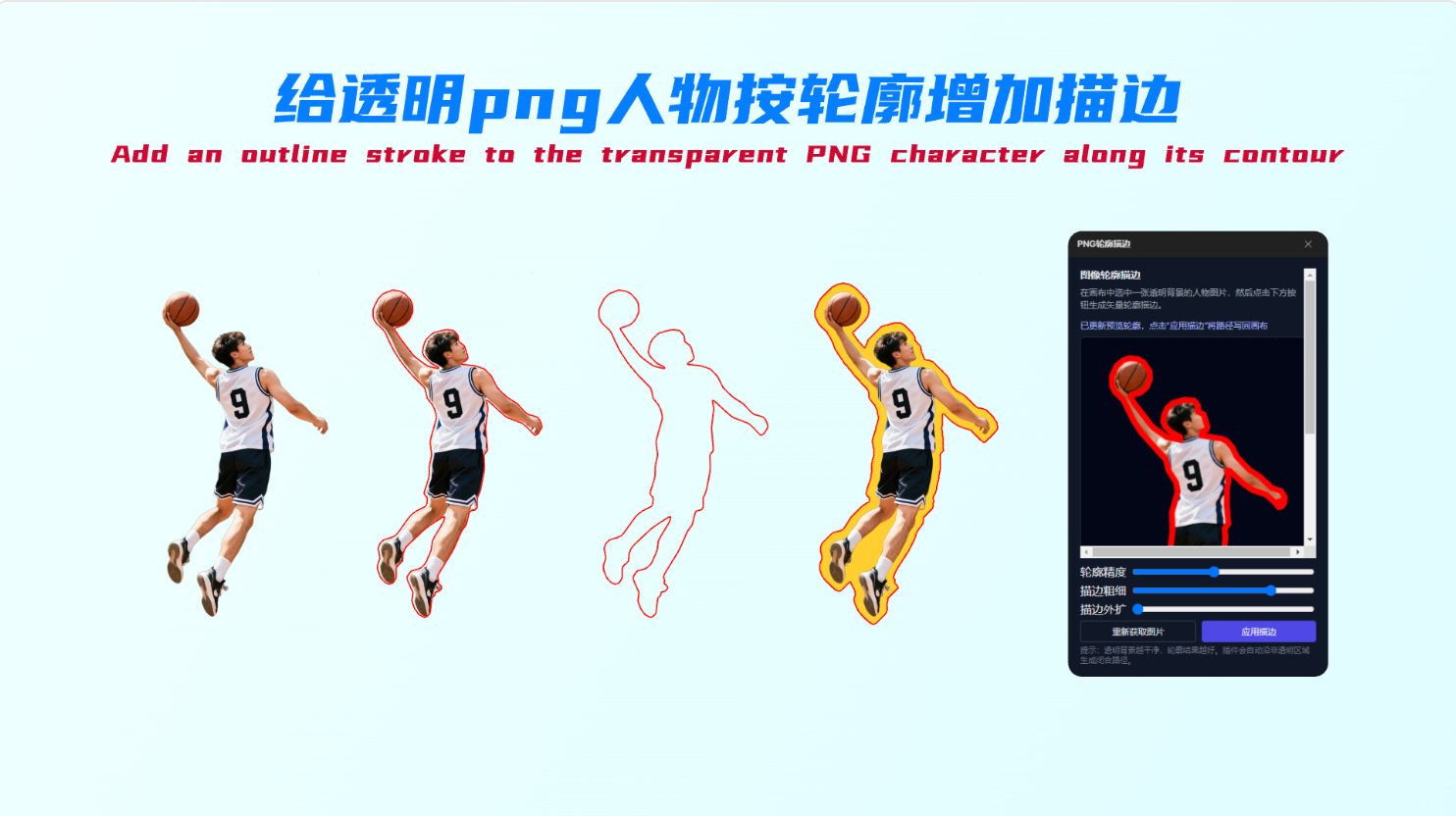
PNG Outline Stroke is a quick way to add custom contour effects to your images. Select a PNG image with transparency on your canvas and the plugin automatically detects the outline. Then use the mouse wheel to zoom and drag to pan within the preview frame. You can customize detail—higher values result in smoother vector paths, stroke—adjust the thickness of the generated stroke and expand—offset the stroke outward from the image edge. When you’re ready, click “Apply” to generate and place the vector path directly over your image in Figma.
🎁 FREE
✏️ Add a contour stroke to your transparent PNGs
⚙️ Customize detail, stroke and offset
5. SVG Color Simplifier
Instantly reduce color noise in your designs.
SVG Color Simplifier allows you to simplify and unify your illustration styles in seconds. Using intelligent K-Means clustering, the plugin turns complex, multi-colored SVGs into clean, limited-palette artwork. Perfect if you’re looking to reduce color noise, align icons with brand guidelines, or create more minimalist illustrations.
🎁 5 FREE uses/day 💰 Unlimited use for $6
🎨 Reduce color noise and limit palettes to fewer colors
👀 Live preview before applying
✏️ Newsletter brought to you by ‹div›RIOTS.