

Week 82 - Plugins to kick off the new year!
This week's five new Figma plugins.
Happy New Year! 🎉 January is often the month we’re all making lists—resolutions to exercise more, read more books, finally organize the junk drawer…
So it’s only so fitting that this week’s plugin roundup should feature two great design checklists that’ll help you ship better work all year long. Think of them as New Year’s resolutions for design quality—except these come with built-in accountability and actually make your life easier.
This first issue of the year also includes a plugin for adding that perfect analog aesthetic, a magic vector pattern generator, and an instant color swapper.
Whether you’re organizing your design system for 2026 or just looking to add some vintage flair to your work, these plugins have you covered:
1. Component To-Do List
The ultimate checklist for designing components.
Inspired by designsystemschecklist.com, comes the new Figma widget Component To-Do List. It’s a great resource for designers looking to build code-ready components, with an exhaustive checklist of everything a new component needs before getting shipped. Thanks to its easy to-do list format, this widget helps you to make sure that your components are meeting feature and codebase standards right in Figma.
🎁 FREE
✅ Make sure components are meeting codebase standards
🤝 A helpful guide before handoff
2. Film Grain
Add a custom analog effect to your images.
Film Grain allows you to create realistic analog film effects with full control. You can add film grain and noise with adjustable density and depth, dust particles and fiber effects, realistic curved scratches, classic vignette darkening and custom colors for the desired aesthetic. The plugin also lets you create and save an unlimited number of presets, offers real-time live previews of created effects and can export images in up to 4096px. A great effect-generator for creating vintage photos, retro posters, VHS aesthetics, lo-fi designs and giving any image that analog photography look.
💰 $2 one-time payment
📸 Add a grainy film effect to images in Figma
⚙️ Adjust density, blur, dust, smoothness, color and more.
3. Halftone Studio
Create cool vector halftone patterns.
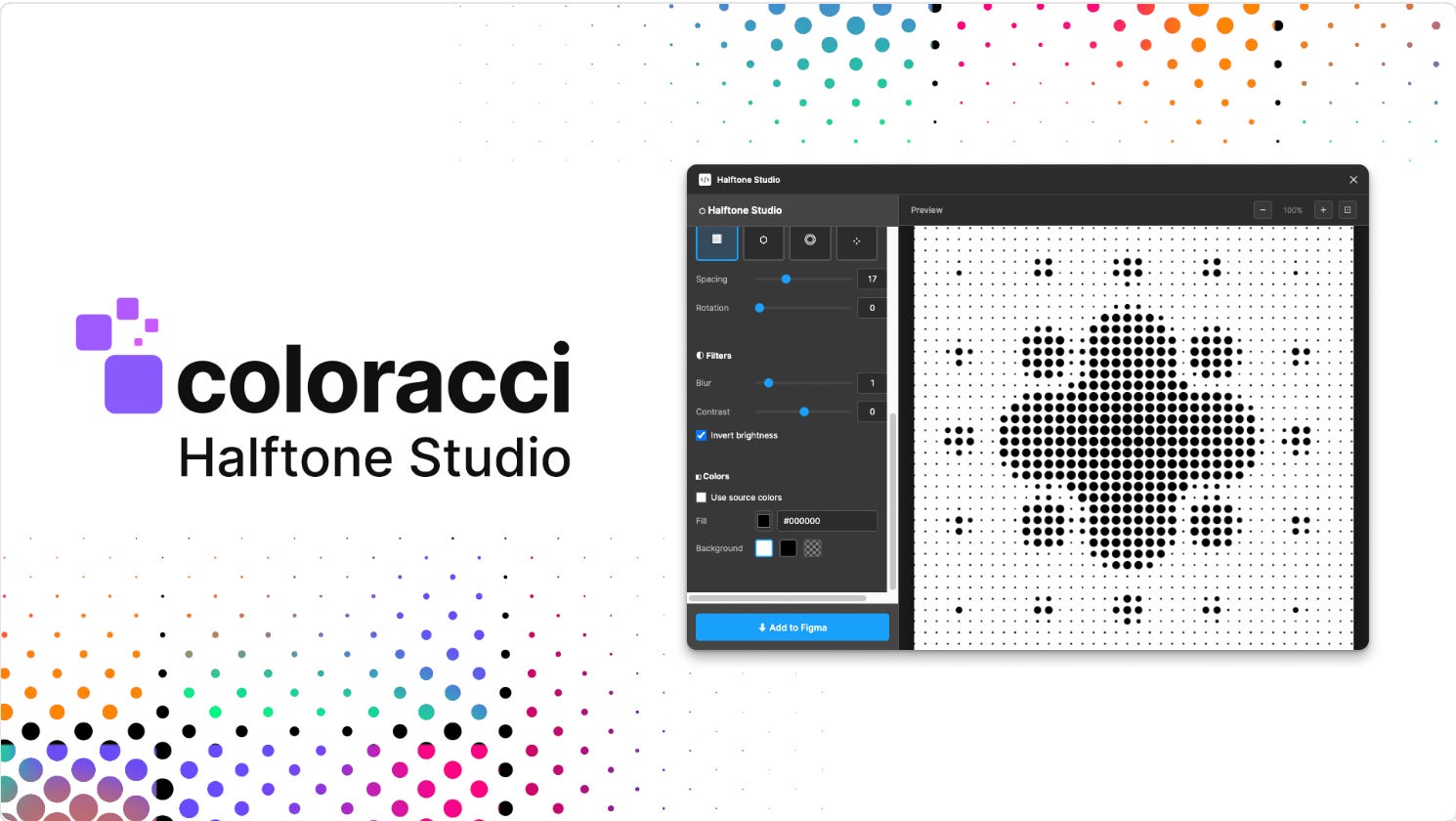
Halftone Studio transforms any image into interesting vector halftone patterns. Choose from 5 different point shapes (circle, square, polygon, star, line), 4 pattern types (straight grid, hex grid, radial or random), any source color and 3 smart filters (blur, contrast, invert); then export your finished halftone pattern in a click directly to your Figma canvas.
🎁 FREE
🪄 Create custom halftone vectors
⚙️ Adjust shape, spacing, color, blur and more.
4. Lynt
Make sure your designs are code-ready for handoff.
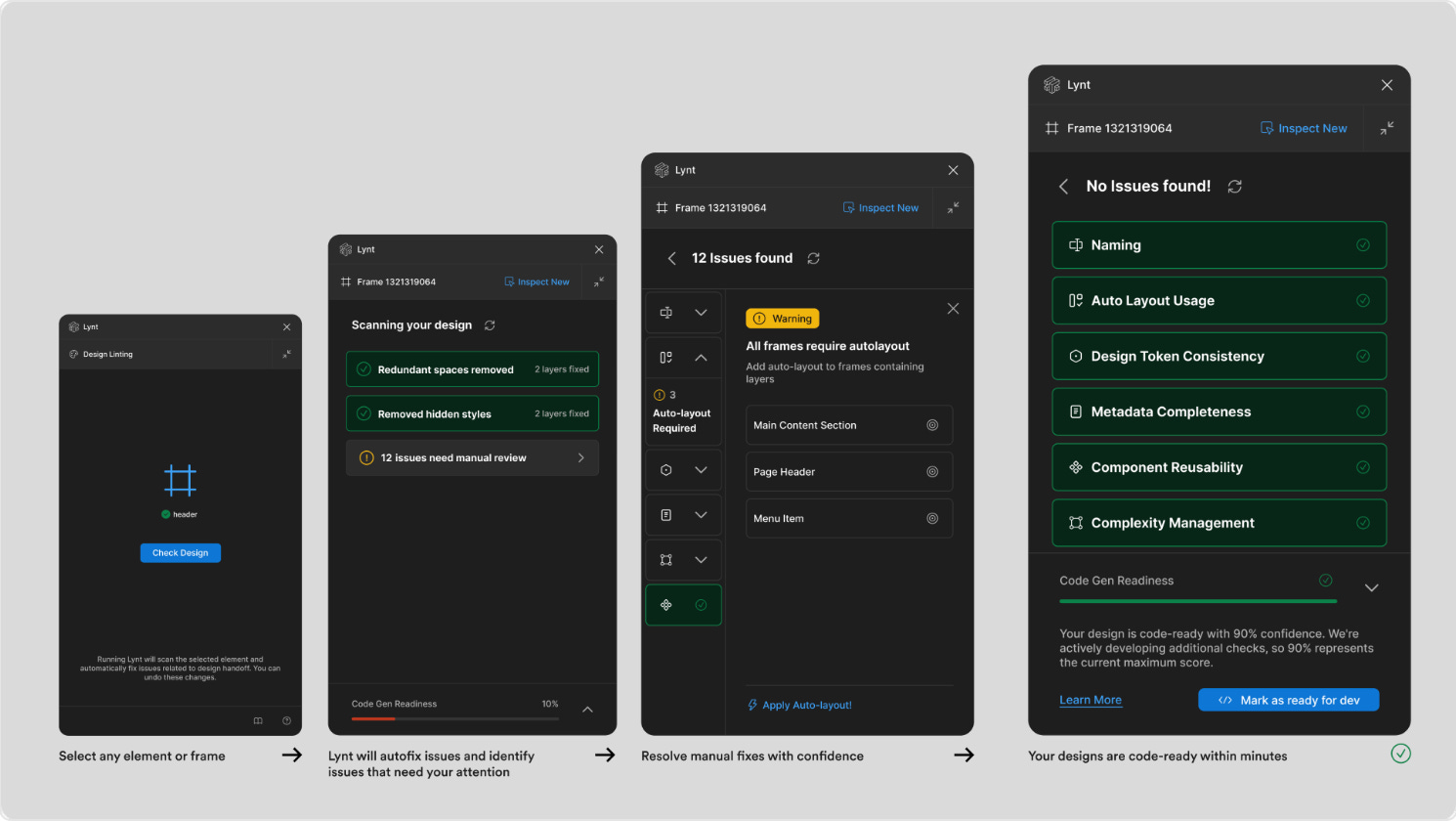
Lynt helps you speed-up the handoff process by making sure your designs are code-ready, thanks to a combination of smart, AI-enabled autofixes and guided manual corrections. Simply select any element or frame and Lynt scans your designs, highlights issues and applies fixes automatically wherever possible. If an adjustment requires a designer’s judgement, Lynt offers clear suggestions that can then be manually fixed. The plugin checks that designs are consistent and production-ready, evaluating things like auto layout, naming conventions, design token consistency, component reusability and code readiness.
🎁 FREE
✅ Scan to check your designs are ready for code handoff
✏️ Lynt automatically identifies and fixes issues
5. Recolor
Swap color palettes in a click.
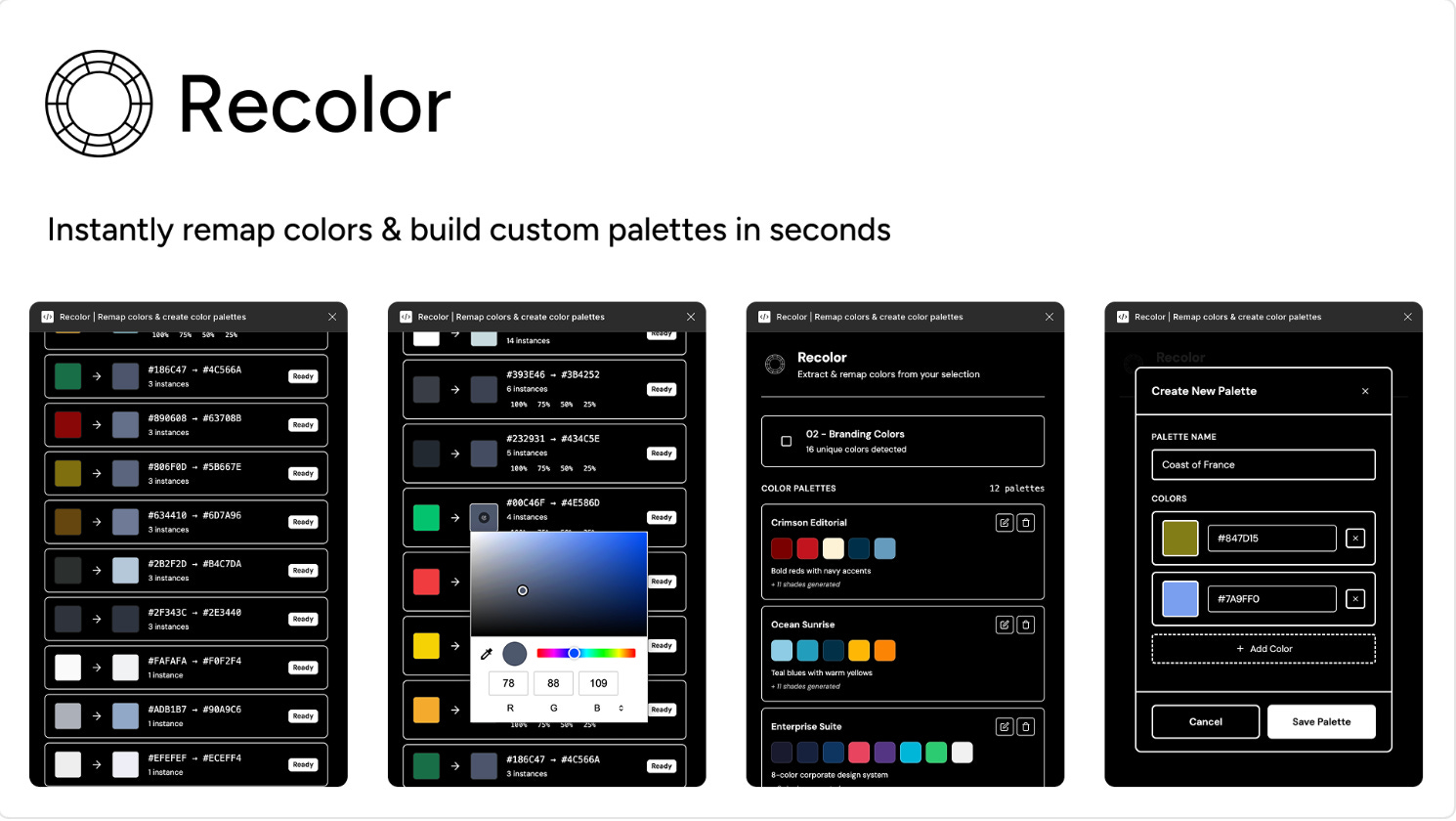
Recolor is a fast way to extract, remap and explore colors in your Figma designs. Select any frame or component to instantly see every color used, then swap entire color schemes with a single click. It’s great for things like exploring different color scheme variations, creating dark and light mode versions, recoloring entire design systems in batch or rebranding designs quickly. The plugin also comes with 8 curated color palettes that are ready-to-apply to your designs.
🎁 Limited FREE features 💰 $2 for unlimited palettes and use
🎨 Extract, remap, and explore colors in your Figma designs
🔄 Swap entire color schemes with a single click
✏️ Newsletter brought to you by ‹div›RIOTS.