

Week 73 - Track, animate and import in a click
This week's five new Figma plugins.
If you’ve ever wondered how your design work translates into kilometers traveled, this is the issue you’ll find out!
But there are also more useful plugins in store; like a text to table converter, a way to instantly import Adobe Illustrator files and a magic animator that generates animations in a click.
Don’t believe us? You’ll just have to keep reading to find out 📖
1. Figma Tracker
Design as a sport!
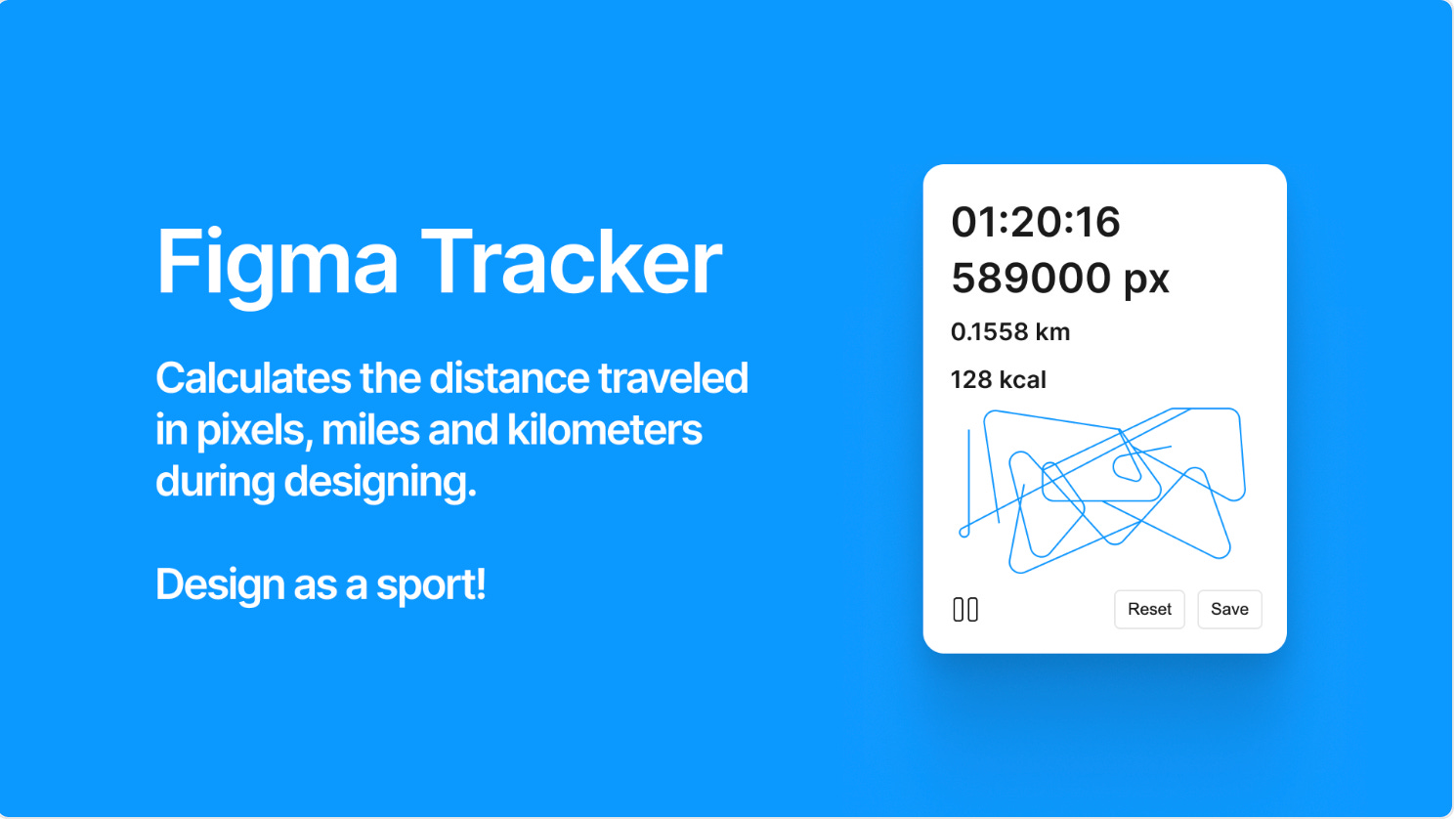
Figma Tracker is a plugin that’s just for fun. If you’ve ever wondered how to measure your design work, this is the way! Figma Tracker calculates the distance traveled in pixels, miles and kilometers while you’re designing. Just run the plugin, get on with your work and watch how the numbers rack up. It even tells you how many calories you’ve burned… Time for a snack!
🎁 FREE
🏃♂️ Calculate the distance traveled in pixels, miles and km while designing
🤡 Just for fun
2. Magic Animator
Animate your designs in seconds with AI.
Magic Animator uses AI to animate any element in your designs in just a click. Select the object you want to animate and hit “Generate animations”. The plugin will give you several animations to choose from and you can either edit the animation further in Lottielab, or download the animation as video, GIF or Lottie animations. A great option for beginner designers who aren’t as comfortable with animating in Figma.
🎁 FREE (for now)
🪄 Auto animate design elements in a click
🤖 AI-powered
3. Pattern Texture Creator
Generate stunning textures and patterns right inside Figma.
Pattern Texture Creator is a new pattern generator plugin to add to your list. From clean grids and flowing organic structures to halftone dots and noise textures it comes with 4 different categories of pattern styles to explore: Grids (square, hex, triangle) with random variation, Organic (Voronoi, Delaunay, L-Systems), Noise (Perlin, Simplex, Worley, White) and Halftone patterns. You have full control over size, shape, density, and screen angle.
🎁 FREE
🏁 Generate patterns and textures
⚙️ Control scale, colors, size, shape, density and more
4. Text to Table
Convert text data (CSV, TSV, Markdown, etc.) into tables right in Figma.
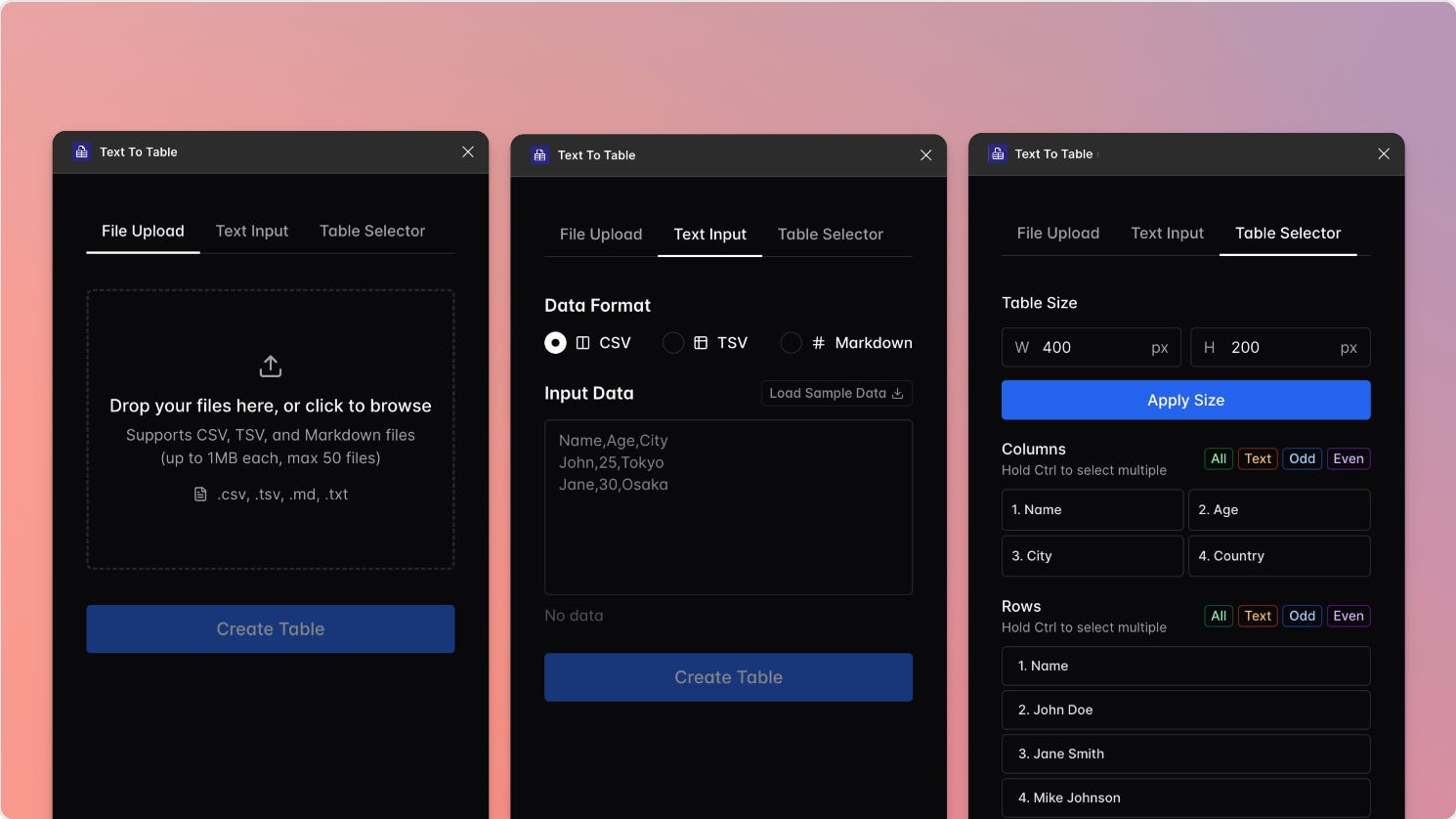
Text to Table converts text-based data — including CSV, TSV and Markdown — directly into clean, editable tables inside Figma. A great way to quickly visualize large datasets without manually recreating tables from scratch.
The plugin supports multiple file types and smart Markdown parsing (including bold text, links, and multiple tables), making it perfect for designers looking to prototype dashboards, reports, or any data-driven UI. Simply launch the plugin, paste or upload your data, and click “Create Table” — your data is instantly transformed into pixel-perfect tables ready for design.
🎁 FREE
📊 Import text to convert into tables in Figma
⚙️ Supports .csv, .tsv, .md and .txt files
5. illustrator.to.design
Import your Adobe Illustrator files in a click.
While it isn’t a new plugin, illustrator.to.design is included in this week’s issue after recent news about Illustrator import mishaps… If you’re looking for a way to copy-paste your Illustrator files in Figma after Adobe’s last update, look no further than the plugin made by your’s truly: illustrator.to.design. Go directly from Adobe Illustrator to Figma and convert your .ai artboards into Figma layers, no additional hacks or converter tools required.
🎁 5 FREE imports/month 💰 $49/year for unlimited
🖍️ Go directly from Adobe Illustrator to Figma
💎 High-quality and fully-editable conversion
✏️ Newsletter brought to you by ‹div›RIOTS.
The auto animator is pretty slick! I’m sure juniors could use it to make some awesome presentations of their UIs.