

Week 41 - Effects, loaders and a pixel perfector
This week's five new Figma plugins.
After a late summer break, we’re back with a new issue of Figma Plugin Weekly! Quite a few interesting plugins were created while we were away, and it was hard to narrow it down to just five…
This week there’s a plugin for making designs pixel-perfect, a new effects plugin and one specifically for designing loading states. Keep reading for our weekly review of some of the latest Figma plugins.
1. Displace
Pattern glass, noise and glitch effects.
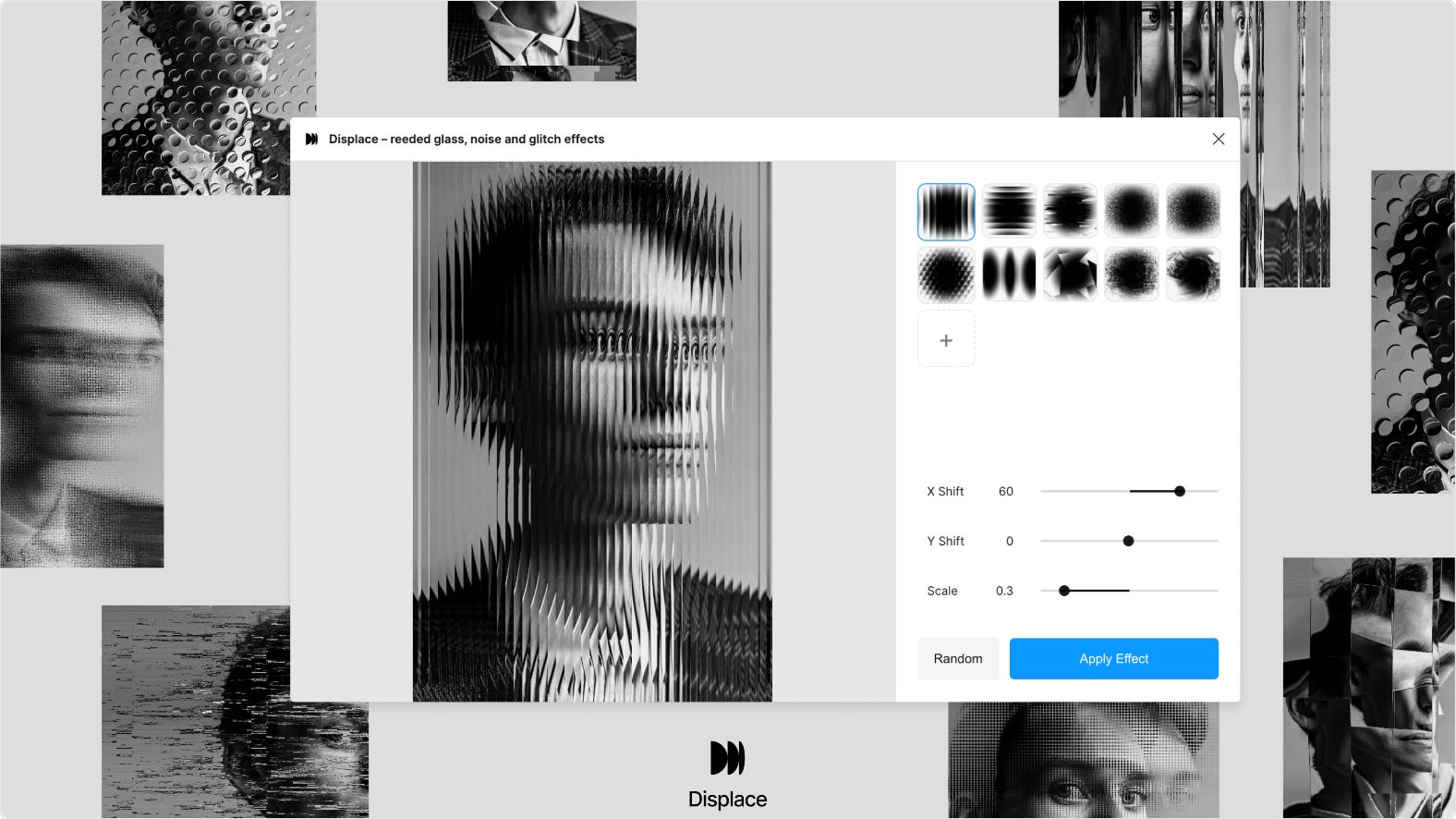
Displace is an image-editing plugin with up to 10 different displacement effects. Edit your images in Figma with effects like reeded glass, noise and glitch which you can adjust to your liking. The effects can be applied to both images and text alike.
🎁 FREE
✨ Add cool effects to your designs (glass, distortion, noise…)
⏰ Quick and easy image editing
2. Image-to-palette
Instantly create color palettes from any image.
Image-to-palette is not just a regular palette generator. This plugin generates color palettes from images. Select an image from your files and the plugin automatically generates a color palette based on the main colors in the image. Click ‘Generate palette’ to insert it into your canvas, or ‘Add to styles’ to create local Figma styles with the generated colors.
🎁 FREE
🎨 Generate a color palette from any images
🤩 Great for brand image alignment
3. Lo-fier
Transform polished designs into low-fi wireframes in a click.
Most of the time, the low-fidelity wireframe comes first, and the polished design comes later… But no design process is perfect and sometimes you need wireframes that you didn’t create in the beginning. Lo-fier is the plugin for the job, converting any design into a simplified wireframe. You can adjust the corner radius of the rectangles to match your preferred style, set your own custom color for the wireframe and replace images with grey backgrounds, or any color you choose.
🎁 3 FREE wireframes/day 💰 $2/month unlimited
✏️ Turn polished designs into low-fidelity wireframes
⚙️ Adjust settings for the look of your wireframe
4. Pixel Perfect
Precision alignment made easy.
Pixel Perfect is the plugin for all you perfectionist designers out there. When those decimal pixels start driving you nuts, and you just want to align your design, then this tool is for you. In a click you can align any element in your designs to the pixel grid, turning object positions and dimensions into whole pixels. This way you can ensure clean layouts without having to do any manual adjustments.
🎁 FREE
🌟 Align your designs to the pixel grid in a click
🚀 Save time, maintain pixel-perfect consistency
5. Skeleton Loader
Create skeleton loaders for your Figma designs.
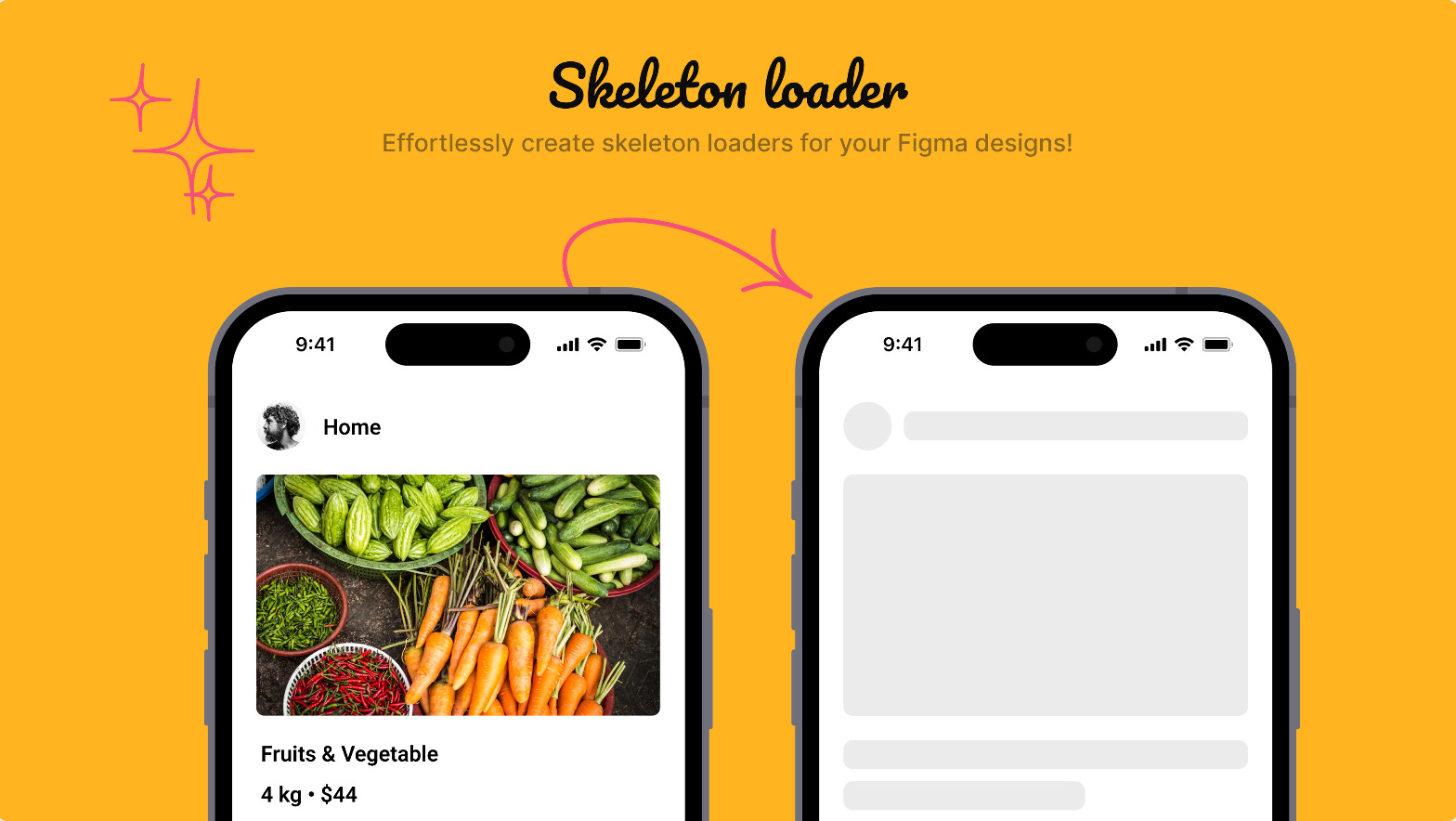
When designing for all use cases, it’s likely that at some point you’ve had to design a loading screen or two… Skeleton Loader arrives to make the job easier, especially if what you need is a skeleton loader design. Simply select the frame you need a loading state for, run the plugin and you’ll get the same screen as a skeleton loader. It generally works, although we’ve found it to be a bit buggy for some designs.
🎁 FREE
🩻 Generate a skeleton loader for any design
🪲 Still a little buggy with some designs
Newsletter brought to you by ‹div›RIOTS.
Pixel perfect! Excited to banish all those 63.435px icons to the depths of design hell.
Cool drops indeed